
Kovo FAQ
Every answer from inside the app, on the web. 132 questions about your plan, your workouts, and everything you earn along the way.
Frequently asked questions
How to get started
Here is the whole app in four steps.
👉 Your week is already built
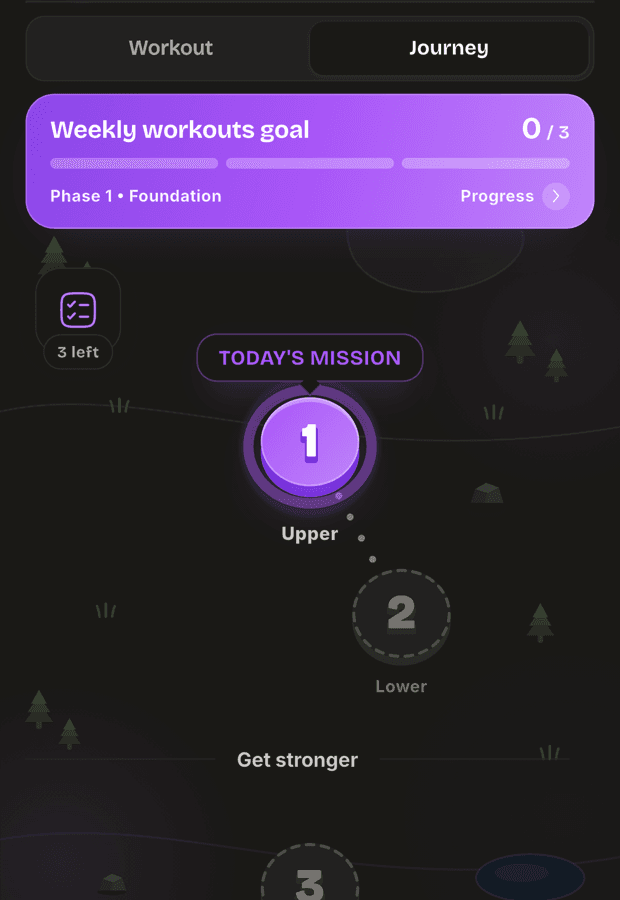
Kovo builds your training week for you. Open the Journey tab and the workout waiting for you is the one marked TODAY'S MISSION. Tap it.
✌️ See it before you start it
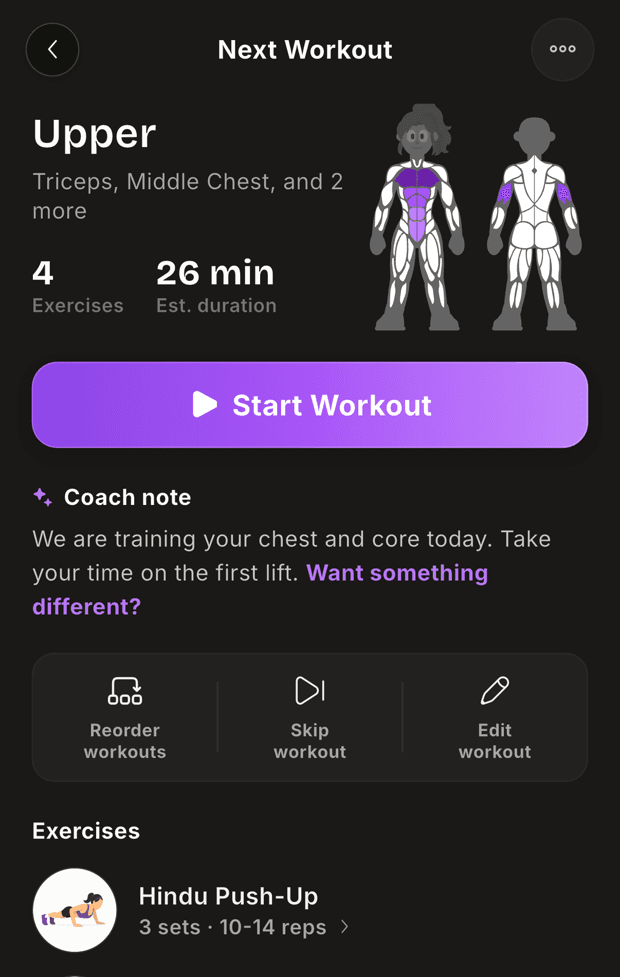
Every workout shows you what is coming: the exercises, how long it should take, and the muscles you are about to train. When you are ready, tap Start Workout.
Not feeling it? You can swap an exercise, skip the day, or edit the workout from here.
👌 Log your sets as you go
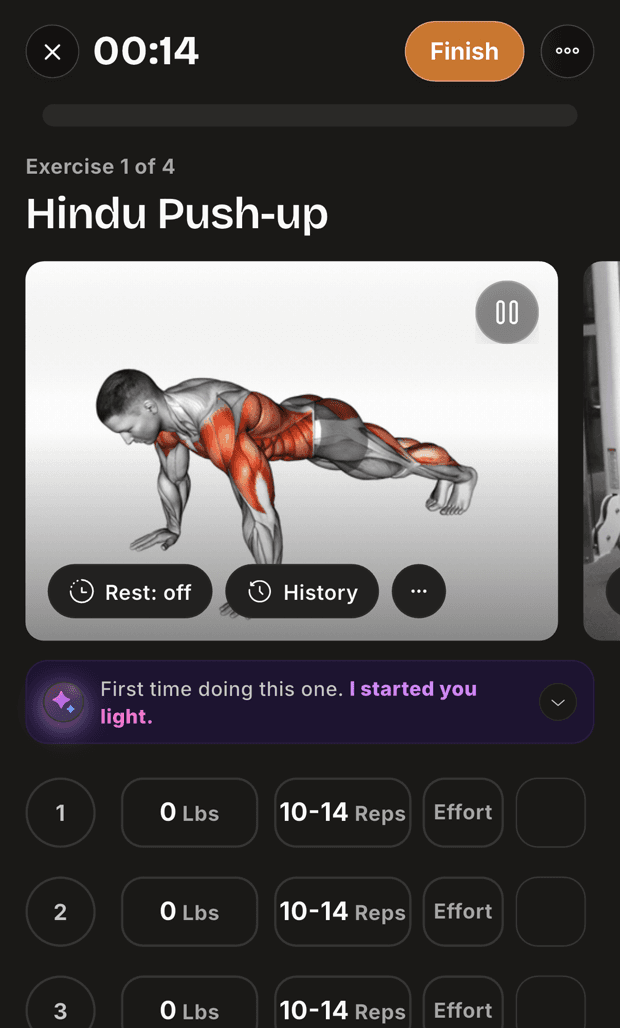
Put in the weight and reps for each set, then tick it off. Kovo fills in what you lifted last time, so most sets need one tap.
When you are done, tap Finish. That is what earns your XP, your gems and your streak.
💪 Or train your own way
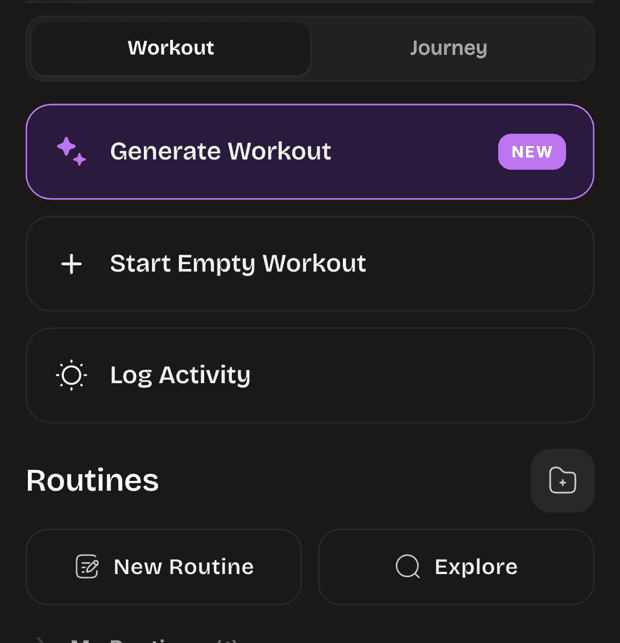
You do not have to follow the plan. Start an empty workout, build your own routine, or log a run or a walk. It all counts.
Learn more: How do I earn XP?
Open this answerWhat does Kovo PRO include?
Kovo PRO adds these.
- Your plan: workouts built by Kovo after your first 3.
- A workout on demand: ask for a new workout whenever you want one.
- Swaps while you train: change an exercise from inside the logger.
- Coach chat: ask why your workout looks the way it does.
- Exercise charts: the charts on an exercise you open.
- Training report: the Year and All time ranges.
- No caps: save as many routines and custom exercises as you want.
Changing your plan settings is free. You do not need PRO to set your equipment or change your goal.
Learn more: What are my 3 free workouts?
Open this answerWhat are my 3 free workouts?
Your first 3 completed workouts work exactly like Kovo PRO. Everything PRO adds is open to you for those three.
Only completed workouts count toward the three.
Kovo counts them for all time. The count does not start again when your plan moves to a new phase, and it does not start again next month.
After the third one, starting a workout asks you to subscribe.
Learn more: What does Kovo PRO include?
Open this answerIs there a free trial?
Yes. Kovo PRO comes with a free trial, and you get everything PRO adds while it runs.
The plan you pick shows how long its trial lasts before you confirm anything. The plans do not all have the same length, so read the one in front of you.
Your phone's store runs the trial, not Kovo. That is also where the trial turns into a paid subscription when it ends.
If you do not want to keep PRO, cancel before the trial ends. Cancelling happens with the store as well.
Learn more: How do I cancel?
Open this answerHow do I cancel?
You cancel through the store you paid with, not inside Kovo.
- iPhone: open your phone settings, tap your name, then Subscriptions.
- Android: open the Play Store, then Payments and subscriptions.
Find Kovo in the list there and cancel it.
Nothing you do inside Kovo cancels a subscription. Deleting your Kovo account does not cancel it either, so cancel with Apple or Google first.
Learn more: How do I delete my account?
Open this answerWhat are the classes?
Your class is the kind of lifter you want to be. It decides the shape of your week, how many exercises a session holds, and which exercises Kovo picks for you.
There are six.
- Builder: classic bodybuilding, muscle by muscle.
- Warrior: built on the squat, the bench press and the deadlift.
- Architect: glutes, back and core, with no heavy pressing.
- Ranger: athletic and explosive training.
- Monk: carries, holds and balance.
- Healer: training to keep moving well for years.
Pick the one that sounds like the training you want to do. You can change it later without losing anything.
Your class only changes what Kovo asks you to train. XP, streaks and Strength Score work the same way whichever class you wear.
Learn more: Can I change my class later?
Open this answerHow is my week built?
Kovo works out the shape of your training week from your class, your goal, how many days a week you train and the equipment you have.
That shape says how many days your week holds, what each day trains, and how much work each muscle gets. Every workout in your journey is built from it, so your week comes around in the same order each time.
Kovo writes the shape once and then keeps using it. It is written again when you change something big, like your class, your days per week or your focus muscle.
Your week does not change on its own. It is written again when you change one of those settings, and not otherwise.
Learn more: Which settings change my plan?
Open this answerHow does Kovo pick my weights?
Kovo uses what you actually lifted the last time you did that exercise. Your own numbers are the starting point every time, so the weights on the screen come from your training and nobody else's.
Warm-up sets and drop sets are left out of this. They are not the weight you were working with, so Kovo does not read them.
The weights are a suggestion, not a rule. Change any of them while you log, and what you log is what counts. A change like that is for that session only. Kovo writes fresh numbers for you the next time the exercise comes around.
Learn more: What is the arrow next to a weight or rep?
Open this answerHow does my streak work?
Your streak counts the days you train. Train once today and today counts.
A day can only count once. If you do two workouts in one day, your streak still goes up by 1.
Rest days
Rest is built in. You can take up to 2 days in a row without training and keep your streak. The third day without training is when it ends.
When a streak ends you start again at 1. The days you built are not held against you.
Learn more: What counts toward my streak?
Open this answerWhat Strength Score measures
Your Strength Score measures how strong you are, worked out from your heaviest sets. XP shows how much you train. Strength Score shows how strong you are.
It runs from 0 to 1000. You have one score for your whole body, one for each muscle, and one for each exercise.
Where to find it
There is no separate screen for it. Your overall rank sits on the You tab with your other stats, each muscle's rank is on that muscle's screen, and each exercise's rank is on the Rank tab when you open that exercise.
Learn more: How do the ranks work?
Open this answerCan I bring my history from another app?
Yes. Kovo reads the file that Strong, Hevy, Liftoff and Fitbod export.
- Export your history from the other app.
- Open your settings in Kovo and tap Import Data.
- Pick the file and follow the steps.
What comes across is what you lifted: your workouts, the exercises and the sets.
What does not come across is everything the other app kept for itself. Streaks, gems, achievements and that app's own points stay behind.
Learn more: The import asked me about some exercises
Open this answerHow do I delete my account?
Open your profile settings. Delete account is at the top.
This permanently deletes your account. It cannot be undone, and Kovo cannot bring it back for you afterwards. Your workouts, streak, XP, gems and everything you unlocked go with it.
Kovo signs you out and sends you back to the sign in screen.
Learn more: How do I cancel?
Open this answer
Browse every topic
Getting started
All 7Your plan
All 11- How is my week built?
- If I change today's workout, does it stay changed?
- What does Skip do?
- Can I do a different day first?
- What happens if I train my own way instead?
- What happens if I miss a day?
- Why do workouts further ahead have no weights?
- Why is my workout called Push or Upper 2?
- I disliked an exercise and my plan changed
- Which settings change my plan?
- What does the focus muscle setting do?
Workouts
All 15- How does Kovo pick my weights?
- What is the arrow next to a weight or rep?
- What do the W, F and D letters mean?
- Do warm-up sets earn XP?
- How do I swap an exercise?
- I changed the equipment and my sets disappeared
- What happens if I unpair a superset?
- What happens when I discard a workout?
- Can I log a workout from a past day?
- How do custom exercises work?
- Do custom exercises count toward Strength Score?
- Does editing a routine change the routine?
- What does Personalize do?
- How many routines can I save?
- Can I share a routine?
Muscles, XP and Levels
All 9Strength Score
All 6Streaks
All 9Clans and Wars
All 12- How do I join a clan?
- How does a clan level up?
- Who in my clan can do what?
- How do XP requests work?
- What do I get for giving XP?
- How does a war work?
- How war stars work
- How much XP do I need for 3 stars?
- Can I switch which muscle I attack?
- Someone is attacking me. Can I stop it?
- A teammate has not attacked. What happens?
- What do I get when the war ends?
Duels
All 9Leagues
All 4Friends and social
All 11- What is a friend streak?
- How do I start a friend streak?
- Do we have to train on the same day?
- My friend streak went back to zero
- What is a Cheer?
- What do I get for inviting a friend?
- What is the dot on the Social button?
- What does the green dot mean?
- What does the line under someone's name mean?
- How do I remove a friend?
- How do I report someone?
Collection and rewards
All 5Shop and gems
All 7Mini games
All 1Kovo PRO
All 4Activities and import
All 8Account and settings
All 5This is all in the app.
Kovo builds your training week, then turns it into streaks, quests, and levels. Free on iOS and Android.
Cannot find it? Send us a message and a human will read it.