
Build a workout program once. Assign it to every client.
Put your routines in order, pick how many weeks it runs and assign it to one client or fifty. Each client gets their own copy and follows it in the Kovo app.
No credit card required
Program Library
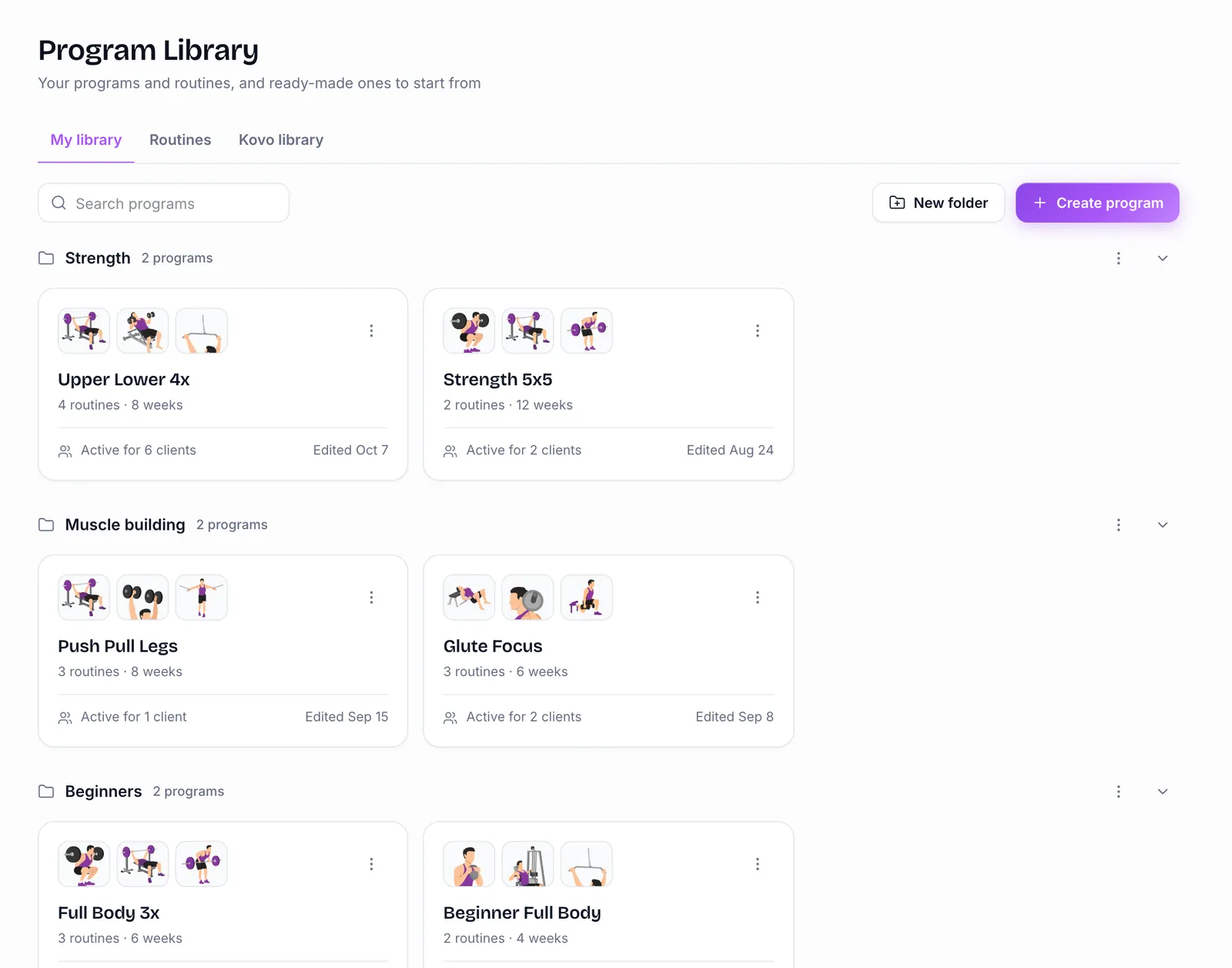
All your programs in one place
Keep every program in your library. Put them in folders, copy one for a new client, or start from a ready-made program in the Kovo library.
- Folders for each kind of client
- 11 ready-made programs to copy and change, like Full Body 3x, Strength 5x5 and Kettlebell Only
- Each card shows how many clients are on it
Routines and weeks
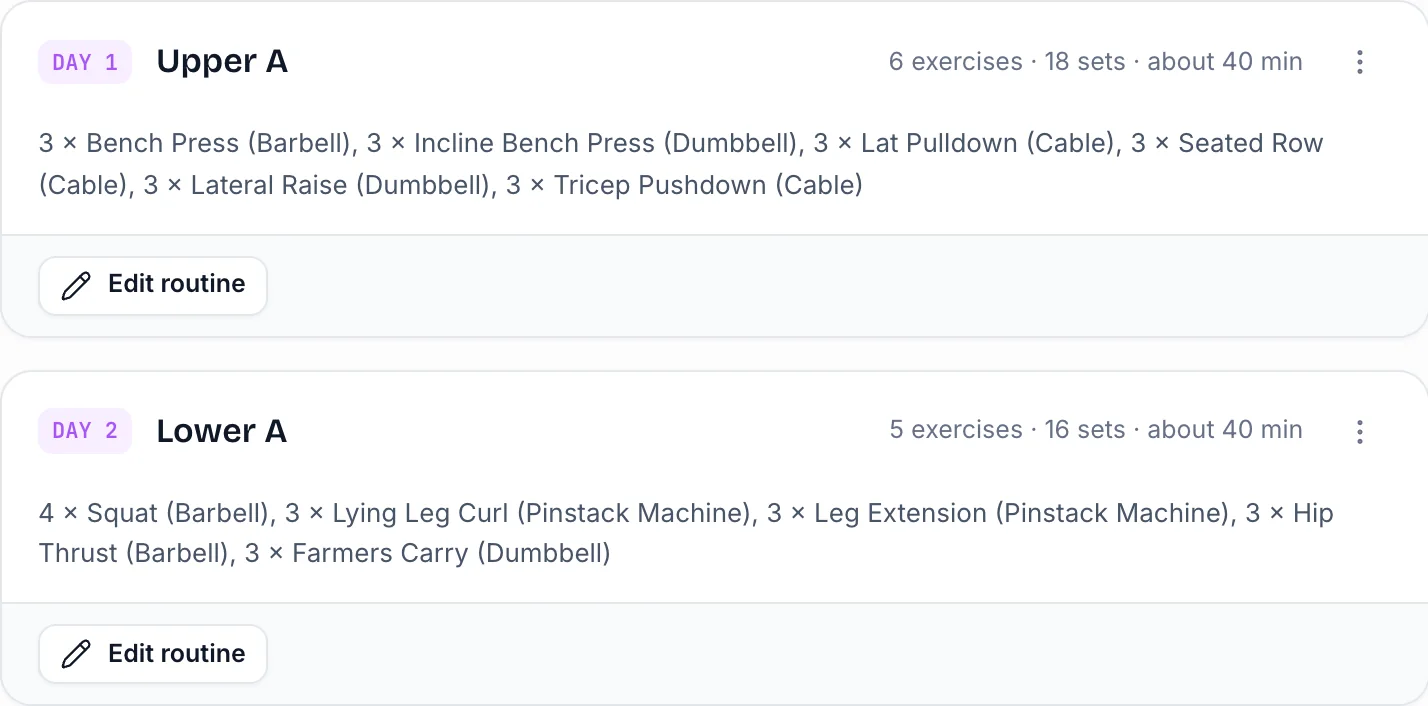
Routines in order, for as many weeks as you want
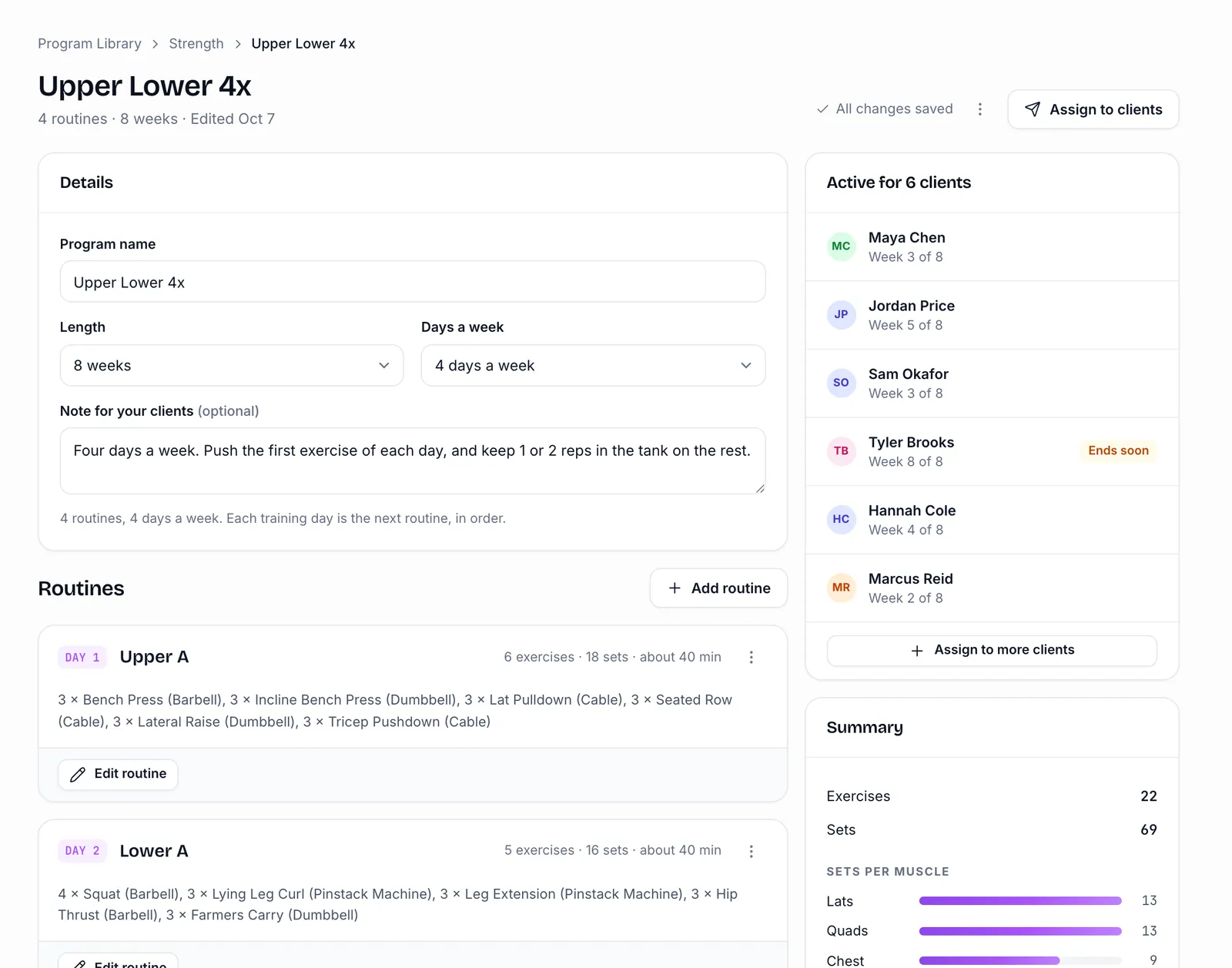
A program is a list of up to 14 routines. Each day your client trains, they get the next routine, and after the last one it starts again. Pick a length from 1 to 16 weeks, or no end date.
- Pick how many days a week, from 1 to 7
- A note your client reads at the start
- Changes save by themselves as you type
Assigning
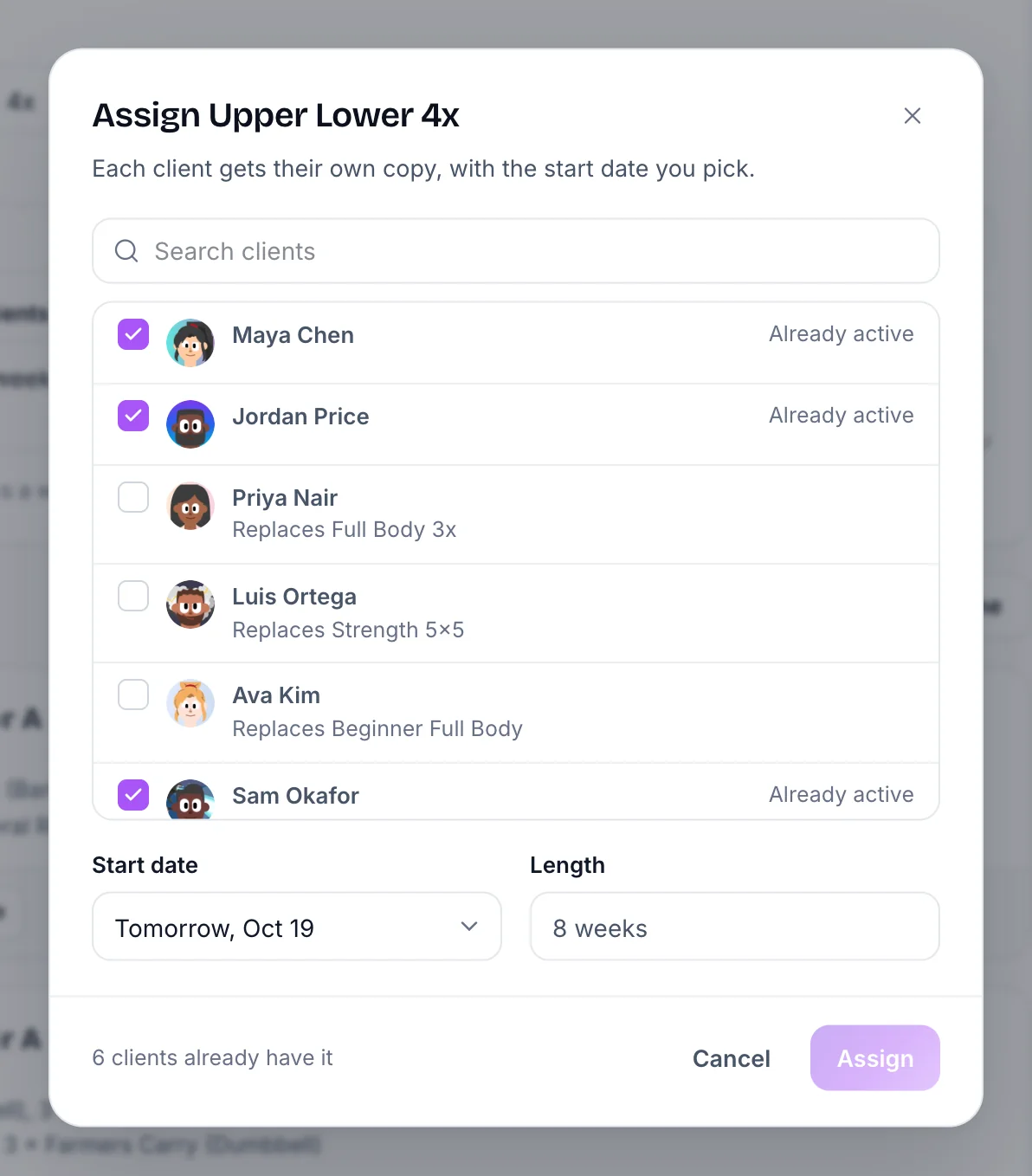
Assign it to many clients at once
Pick the clients, pick a start date (today, tomorrow, next Monday or any date) and assign. Each client gets their own copy, so changing one person's program never changes anyone else's.
- Tags show who has an old version and who has a copy you changed for them
- Update clients sends your newest changes to the clients you pick
- Change a start date, swap the program or end it early
Weights
Leave the weight empty and Kovo picks it
You don't need to know every client's numbers. Leave a weight empty and Kovo picks one for each client from their own workouts, using your reps and effort target, then adds weight as they get stronger. A weight you type is used exactly as written.
- Works for a new client on day one
- Each client on the same program gets their own weights

What your client sees
Your program becomes their plan in Kovo
The top of their app says "From Ryan · Week 1 of 8". Your note shows on each day and each exercise, and your effort target sits on every set. They can change today's workout, but not your program.
How it works
- 1
Build or copy a program
Start empty or copy one from the Kovo library. Add routines and exercises.
- 2
Assign it with a start date
Pick one client or many. Each one gets their own copy.
- 3
Your client trains in Kovo
Your program shows up in their app as their plan. You see every set they log.
Ready-made programs to start from
Questions about the program builder
Can I use programs I already have?
Yes. Build them in the Program Library by adding your routines and exercises. There's no one-click import from other apps yet, so if you have a lot of programs, email us and we'll help you move them.
Can a program change from week to week?
Not yet. Every week runs the same routines in order. To change the plan, edit that client's copy or assign them a new program.
How long can a program run?
From 1 to 16 weeks, or with no end date. You get an email the week before a program ends, so you can assign the next one.
What happens when a program ends?
Your client goes back to their own Kovo plan, and the program moves to their past programs, where you can still see it.
More features
- Workout builderSets, rep ranges, weight, effort, rest, supersets and notes. Leave a weight empty and Kovo picks it.Workout builder
- Progress trackingEvery workout next to the plan, stats for each exercise, Strength Rank, body measurements and progress photos.Progress tracking
- Exercise library1,756 exercises with pictures and steps. Make your own, with a GIF your clients see while they train.Exercise library
What it costs
Priced by your number of clients
Your clients pay nothing. They get the Kovo app free on iOS and Android, and Kovo PRO free while you train them.
Start 30-day free trialNo credit card required
| Up to 10 clients | $25 a month |
| Up to 25 clients | $50 a month |
| Up to 50 clients | $90 a month |
| Up to 100 clients | $160 a month |
More clients? See every plan
Try Kovo Trainer free for 30 days
Start your 30-day free trial. No credit card required.